A Tool for Training AI

How can we help our customers see value sooner?

In 12 weeks, my team turned a proof-of-concept tool into a launch-ready feature that helped customers upload content to train and use Drift’s new AI-powered tools.

Our work resulted in a reduction in the time it took a customer to see value from 6 days to 3.5 hours.
Background Information

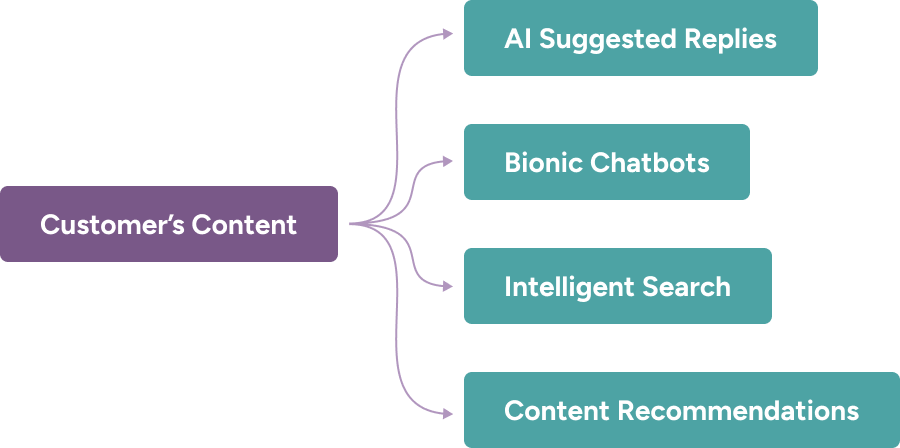
Drift had built four new AI-powered tools, each requiring a customer’s content to be able to deliver the most accurate and relevant responses. Gathering that content from the customer and getting it into the system was a manual and lengthy process, typically taking 6 days.

The end-to-end journey for a customer to be able to use our AI-powered features, before our team’s work

Role & Team

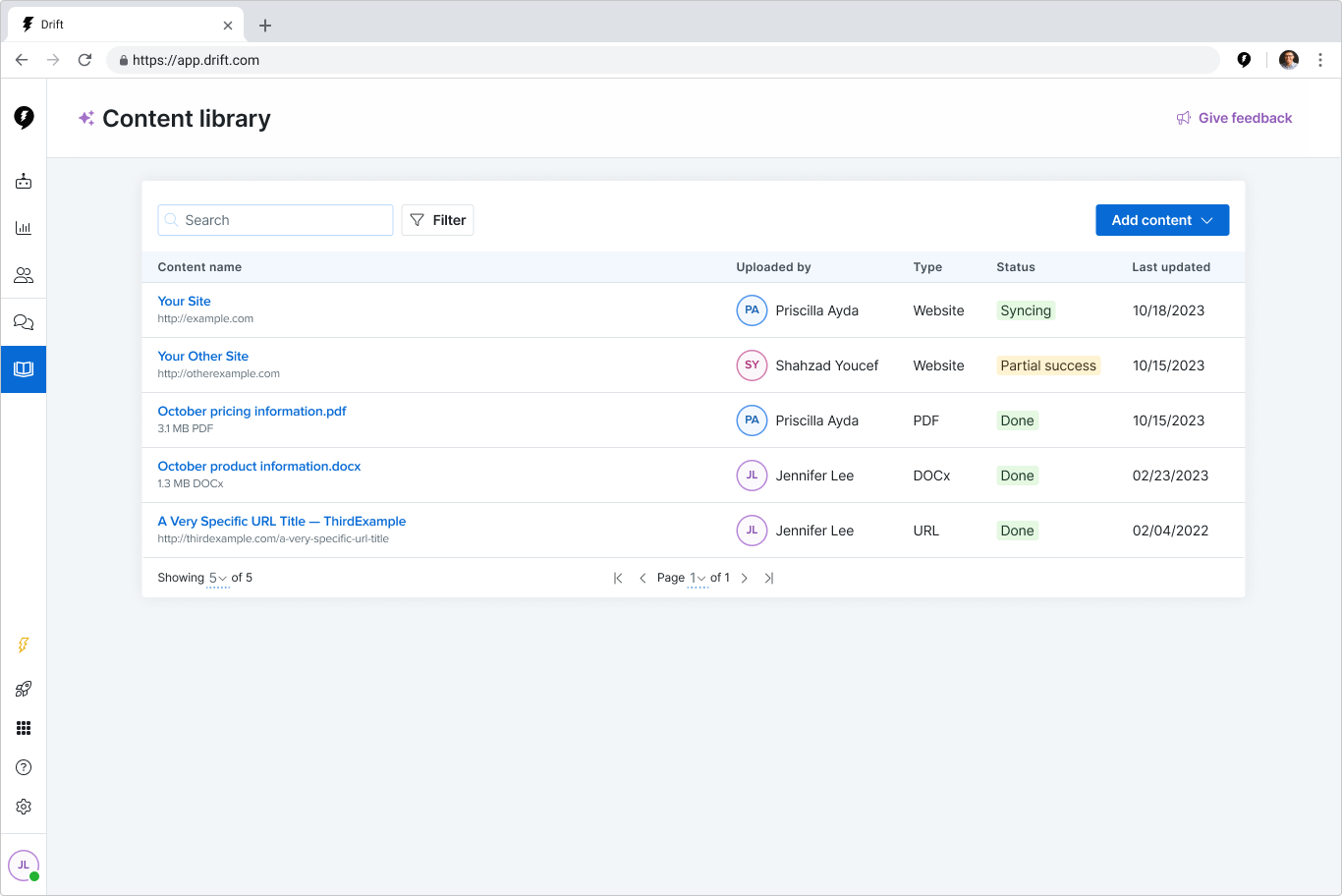
I led the conceptual, interaction, and visual design of custom content libraries for customers to use to directly upload their content through build, beta launch, iterative improvements, and generally available launch.

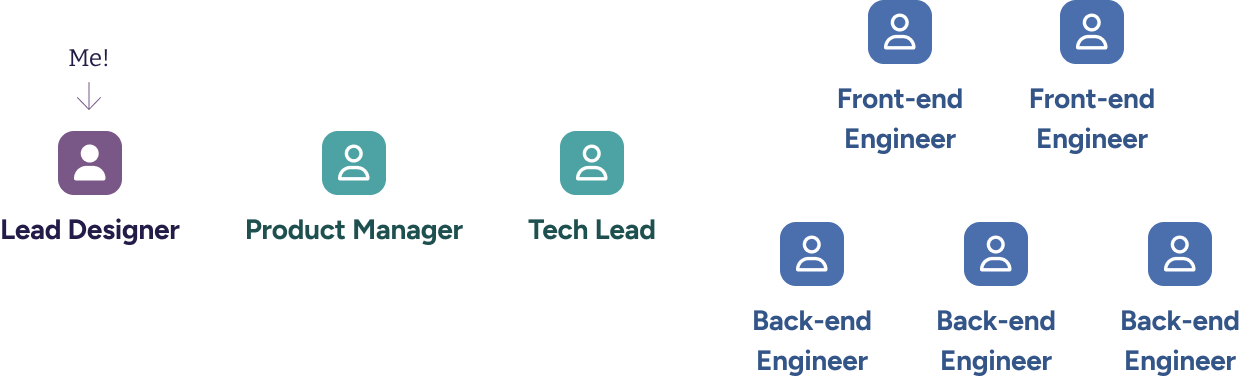
I started with an earlier hackathon project, and partnered with a product manager and engineering manager in the discovery and design phases. I worked closely with two front-end and three back-end engineers during the build and iteration phases.

Research

My product and engineering partners and I had a few assumptions about what was missing from the hackathon project. I created a prototype operating under these assumptions, and set up continuous discovery calls to learn directly from marketers, our primary users.

I organized these 30-minute calls through Great Question and recorded them with Zoom. The first 10 minutes was an interview where I probed into the marketer’s background, comfort with AI, and how their organization handles content. The remaining 20 minutes was a concept test using the prepared prototype.

We learned that marketers
Were comfortable with AI

Marketers were eager to try anything that would produce results, and they'd want to test and see results before going live.

Viewed public content as 'safe'

Any public content was “safe” for the AI to be trained on. Some topics like pricing are best left to a human conversation, and would be excluded from their library.

Wanted to see details

We validated that marketers needed to see what was inside a sitemap, and why URLs sometimes failed. We planned to explore ways we could show this information.

Didn't always get jargon

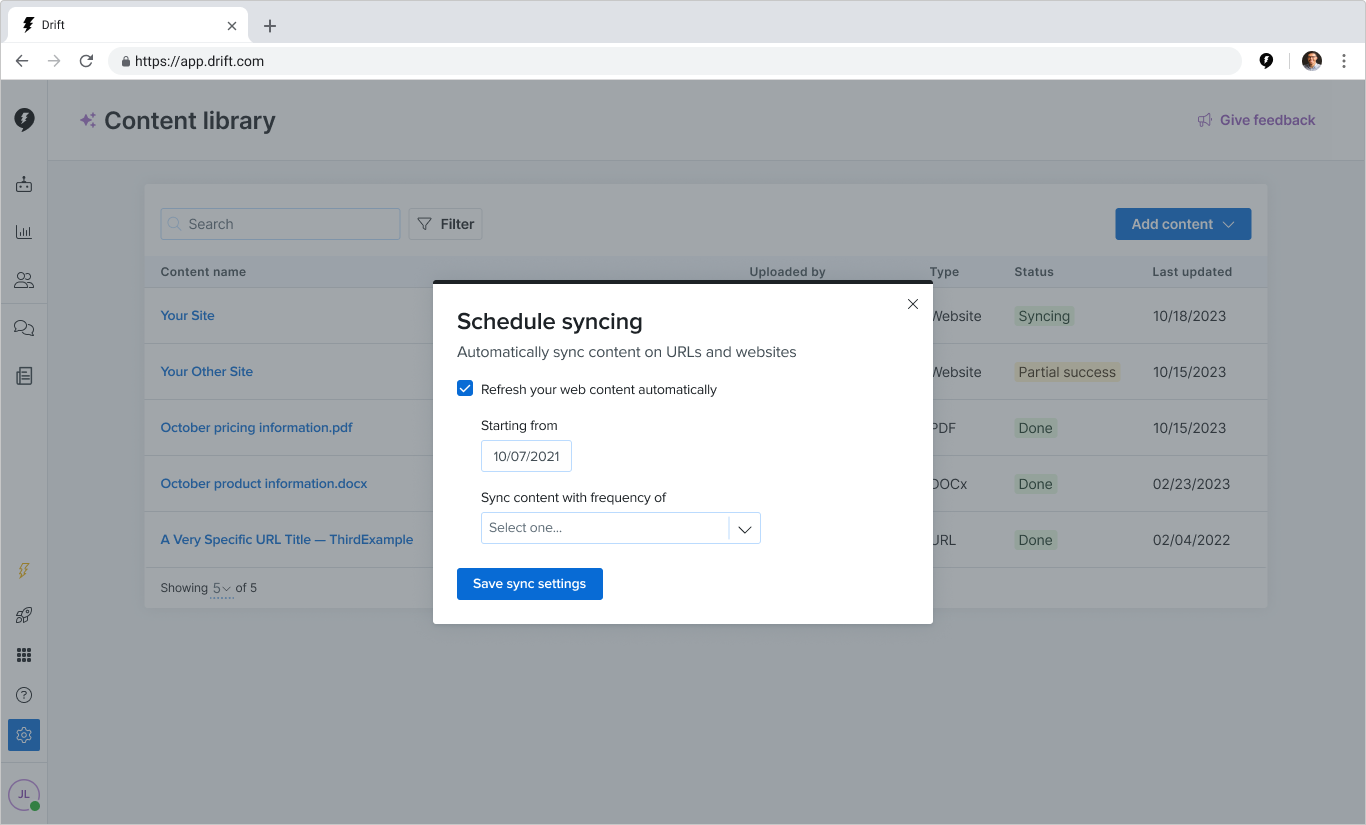
“Content Ingestion”, “Ingest”, and “Sitemap” were very technical terms, so we replaced them with “Content library”, “Upload”, and “Website” respectively.

Had concerns about relevancy

Website content changed over time, and they wanted their content to be current. We planned to explore automatic syncing of web content.

Wanted quick access

Marketers expected this page to be a top-level navigation item. We moved it from 'Settings' to our primary navigation.

Setting scope

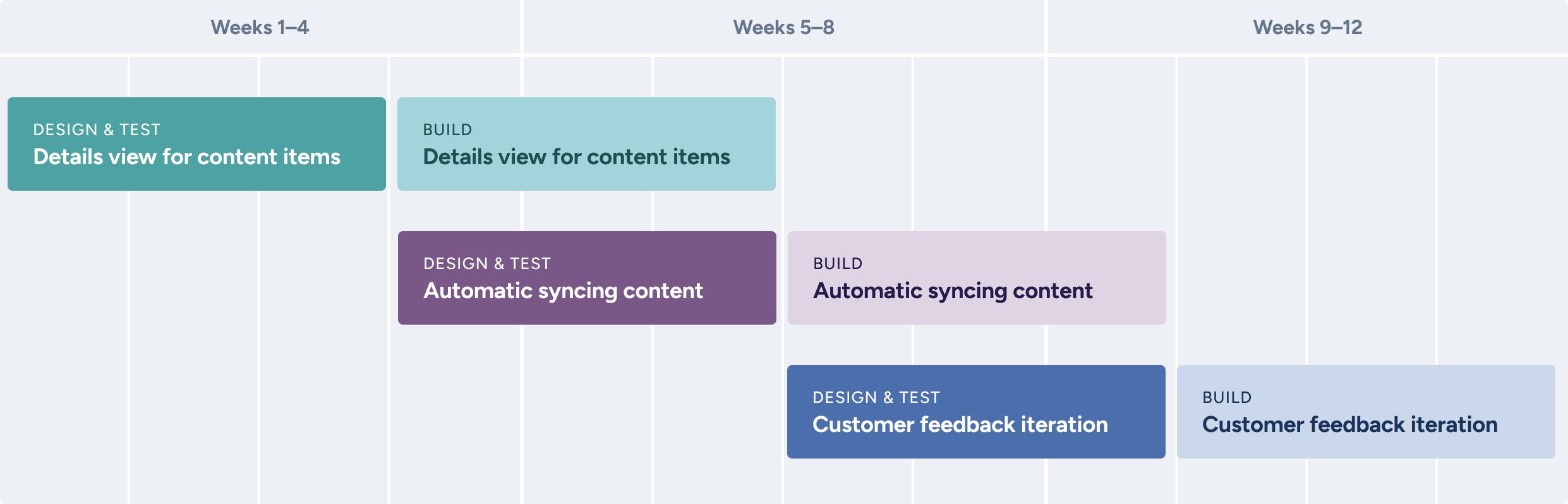
Our team wanted to ensure we could deliver smaller chunks of value iteratively, and could use the feedback from earlier phases to inform later ones. We planned to break this work into three parts.

Challenges

Slow URL processing time

The processing time for a typical sitemap, which could have thousands of URLs, was ~180 minutes per 10,000 URLs. This was fine for our small group of beta customers, but we had to prioritize engineering effort into reducing this time before launching at scale, which reduced the team's bandwidth and forced us to prioritize what we could deliver.

Unreliable content processing

Our processing technology couldn’t reliably process tables, images, video, or audio. URLs without text content would not process, and would return as “failed”. Our initial error handling didn’t have any context as to why a URL failed, and building that out would be a substantial amount of effort.

Showing the details

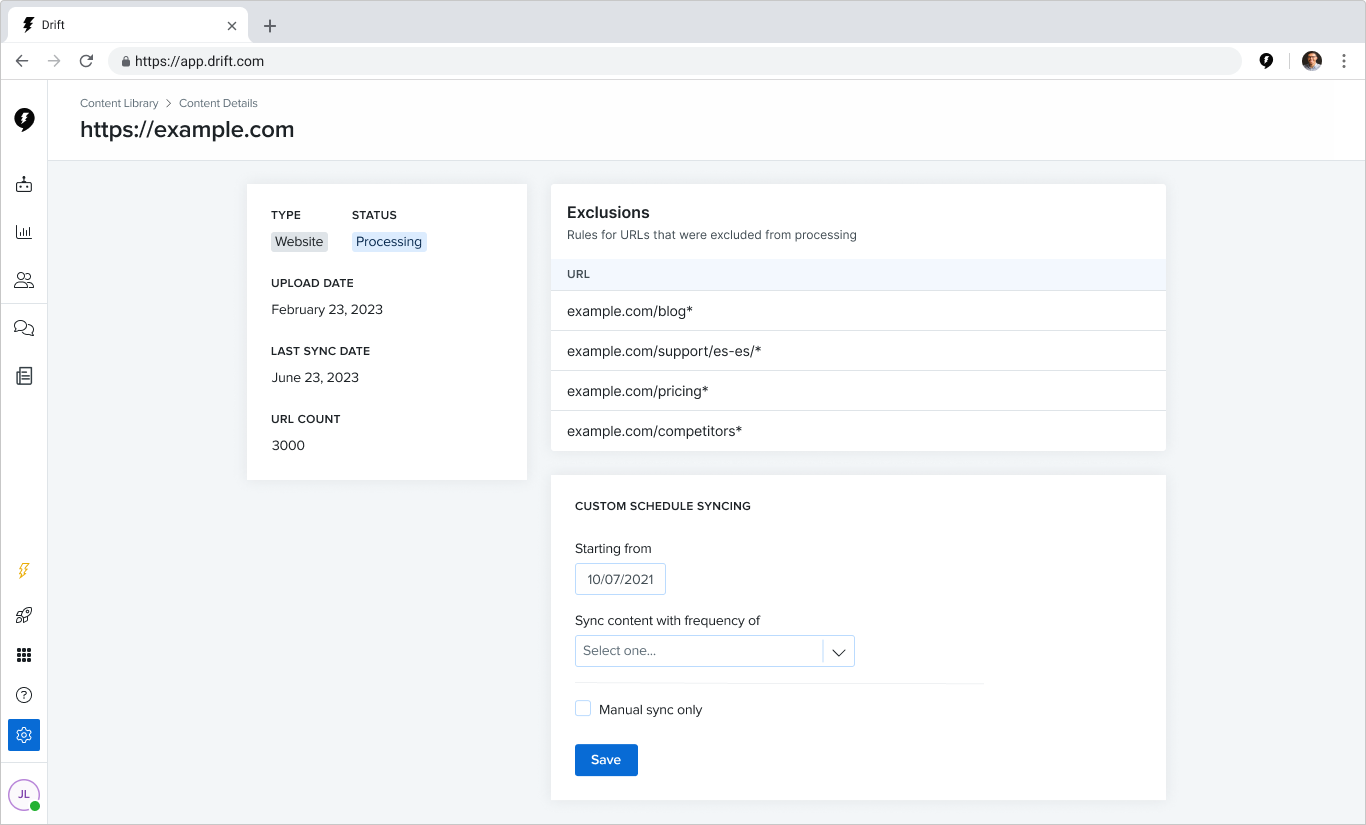
I put together different ways a customer could see the details of a content item. We put the most promising versions into prototypes and gathered feedback from customer calls.

Experimenting with different interaction patterns for accessing content details.

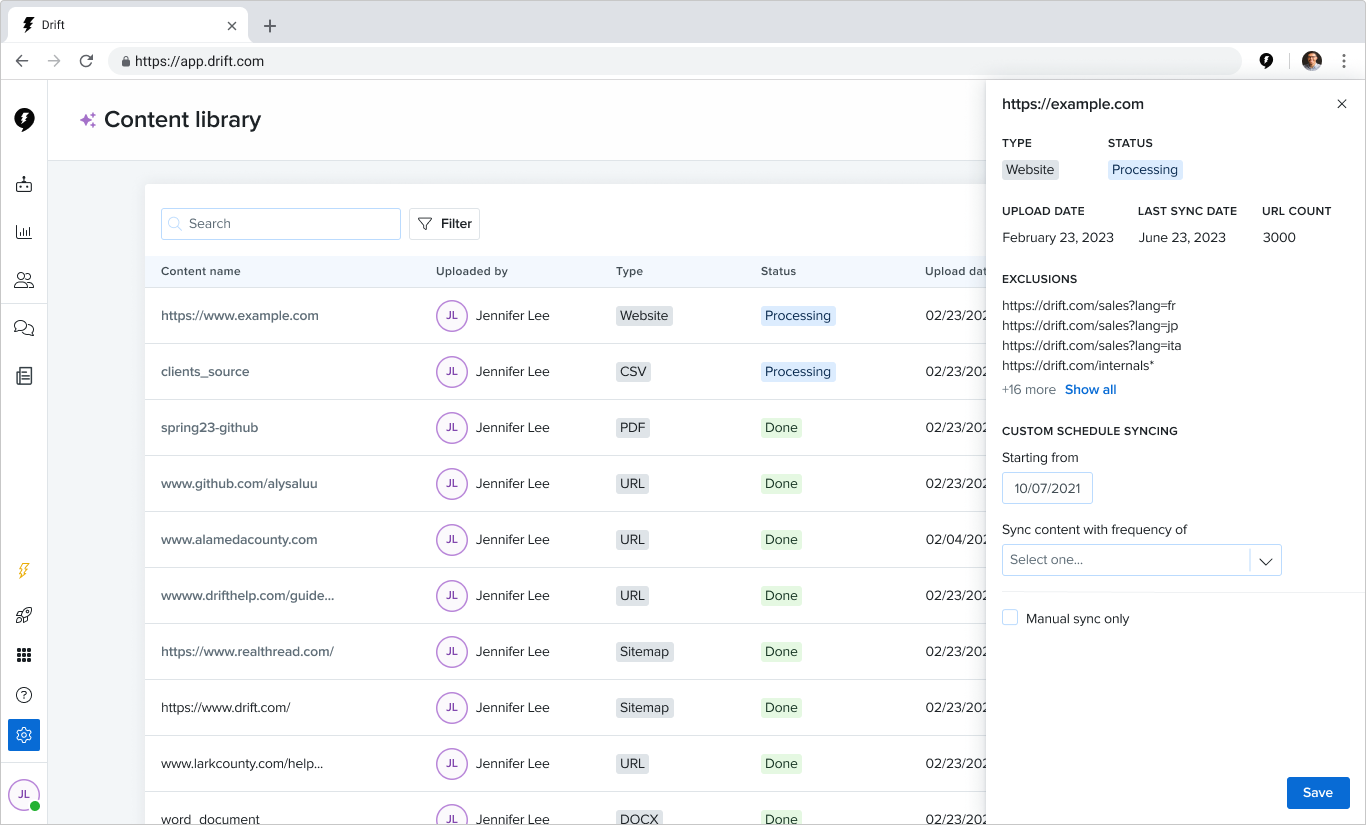
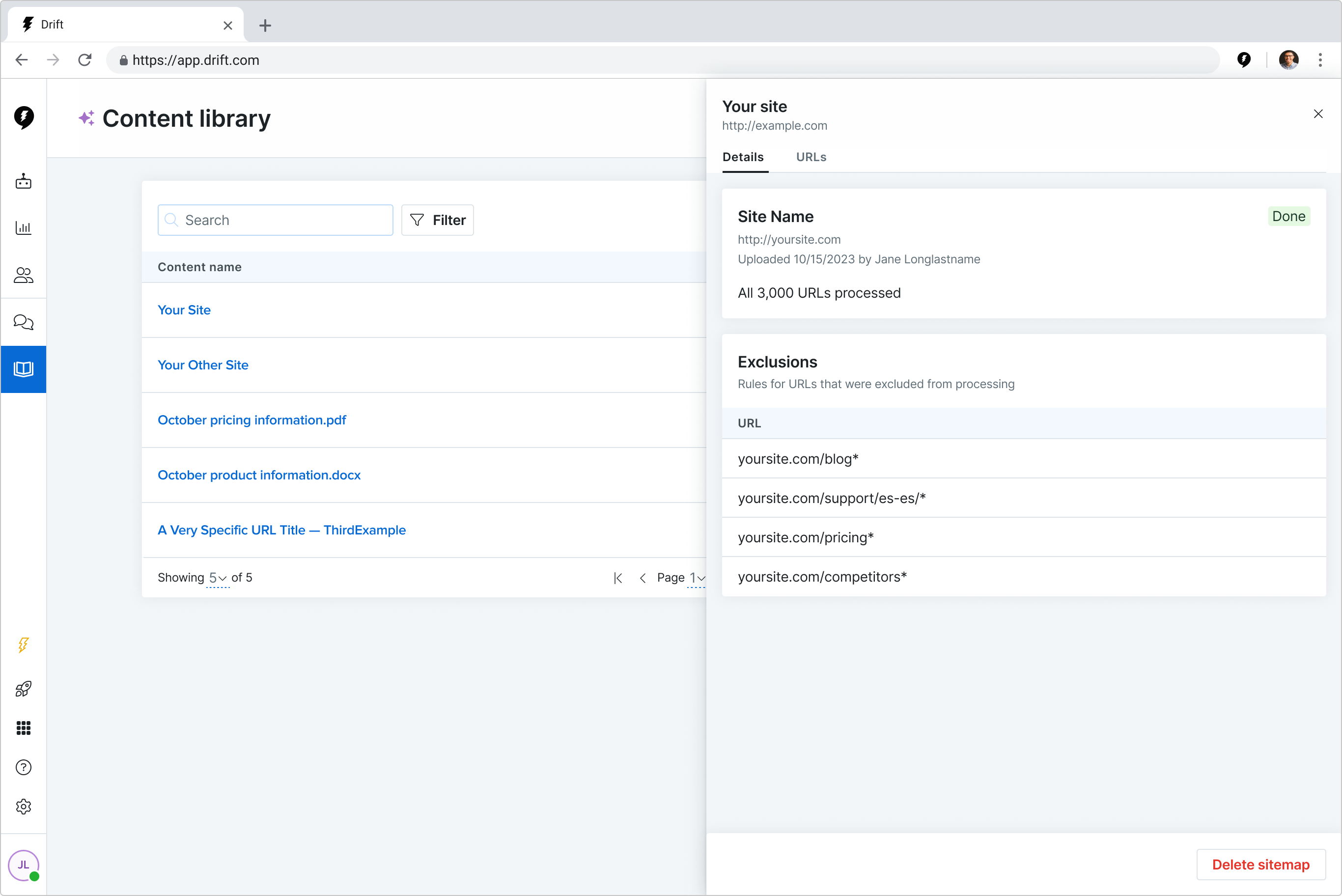
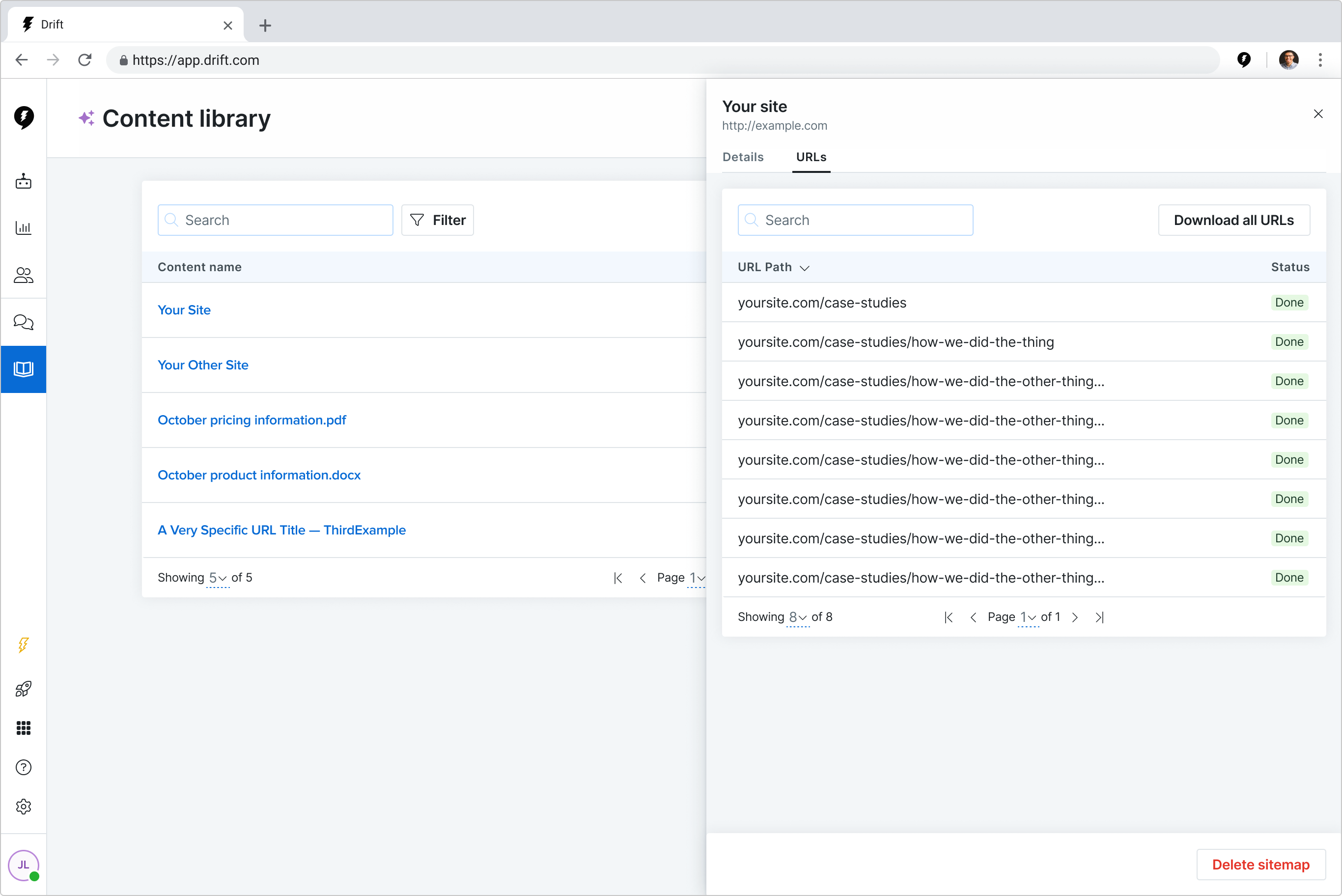
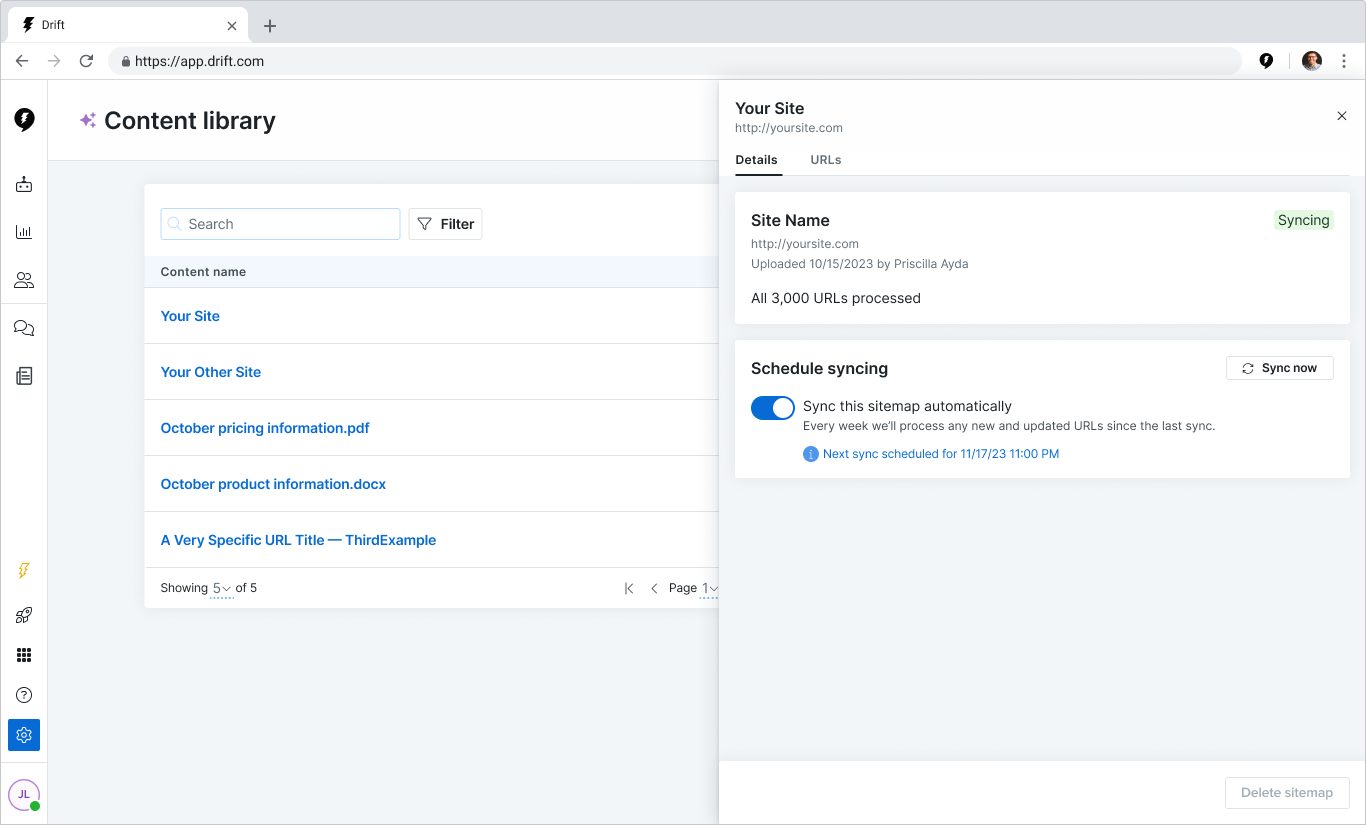
Customers preferred the drawer approach so they could quickly check and compare the details of multiple items in quick succession. I iterated on the drawer designs and got feedback during continuous discovery calls.

Select iterations on drawer visual and interaction design

As a team we took our final designs and vetted them technically. Due to the increasing need to put engineering bandwidth on the quality and speed of content processing, we decided to deprioritize showing URL failure reasons because it required a large amount of back-end work. We planned to revisit after launching details and syncing.

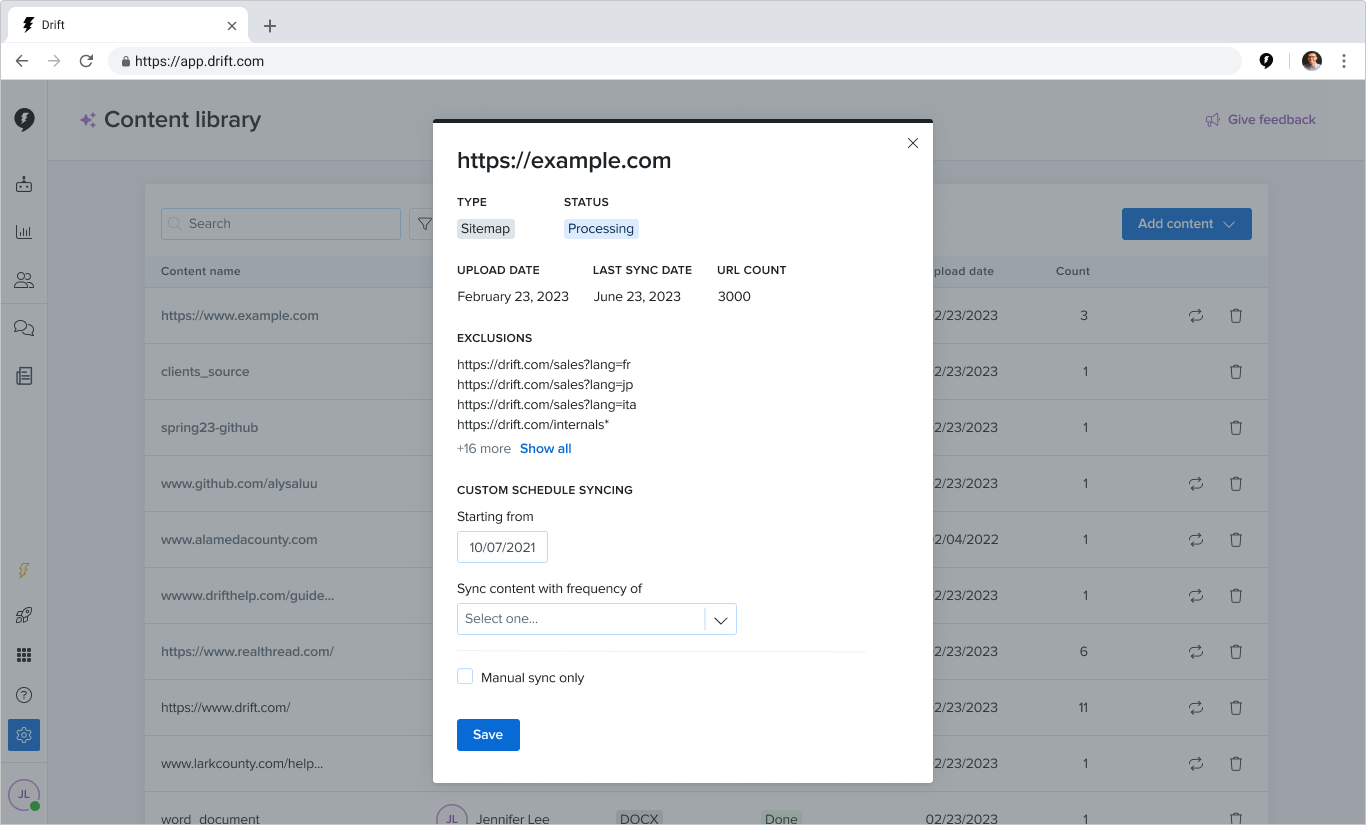
Syncing the content

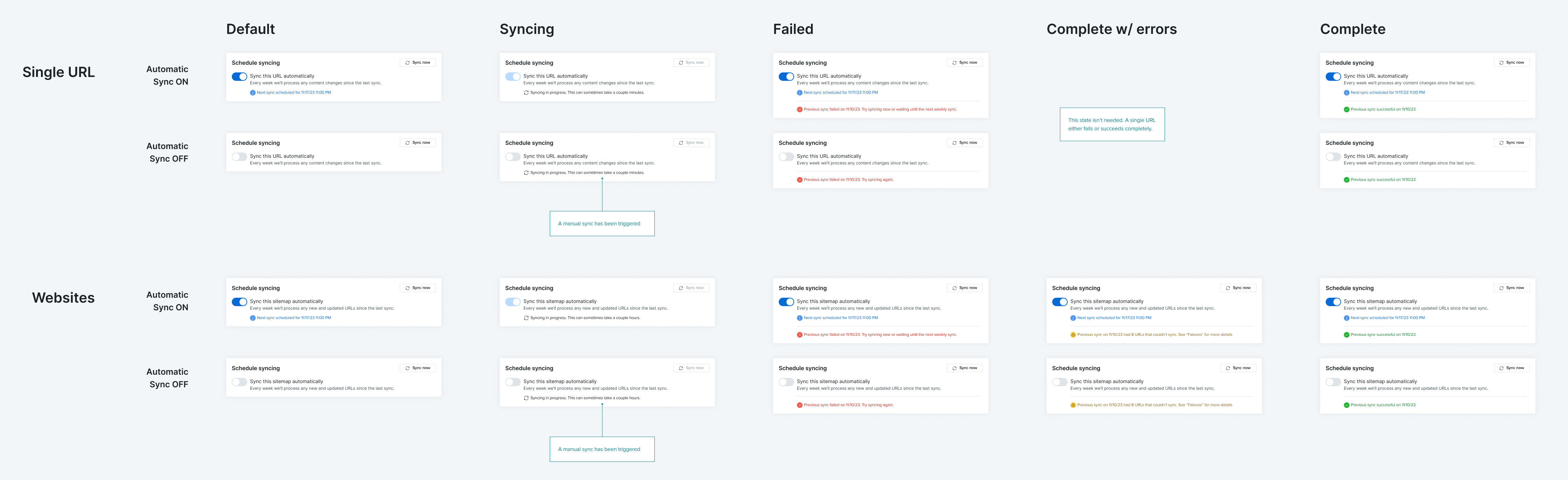
As the team built the details, I put together ideas for how we could sync our customers’ web content. We’d heard in earlier discovery calls that customers would expect content to sync on a weekly basis, with any faster being fine and any longer being too long. I put together a prototype that had a configurable sync setting for all content and a setting per content item that was only weekly, and put them in front of customers.

Customers preferred the control of the per-item sync, and when considering the frequency seemed comfortable with only syncing weekly. I refined the initial design and fleshed out all the states we’d need.

I met with the team to vet the solution technically. Our engineers didn’t see any major technical challenges with our approach, and they prepared to build.

Iterative improvement

As we approached our launch date, our team was heavily focused on getting the processing time and quality to the standards we planned to hit, and I began preparing smaller design fixes to address feedback we’d heard through ongoing research calls, calls with our beta customers, and feedback collected by sales and support.

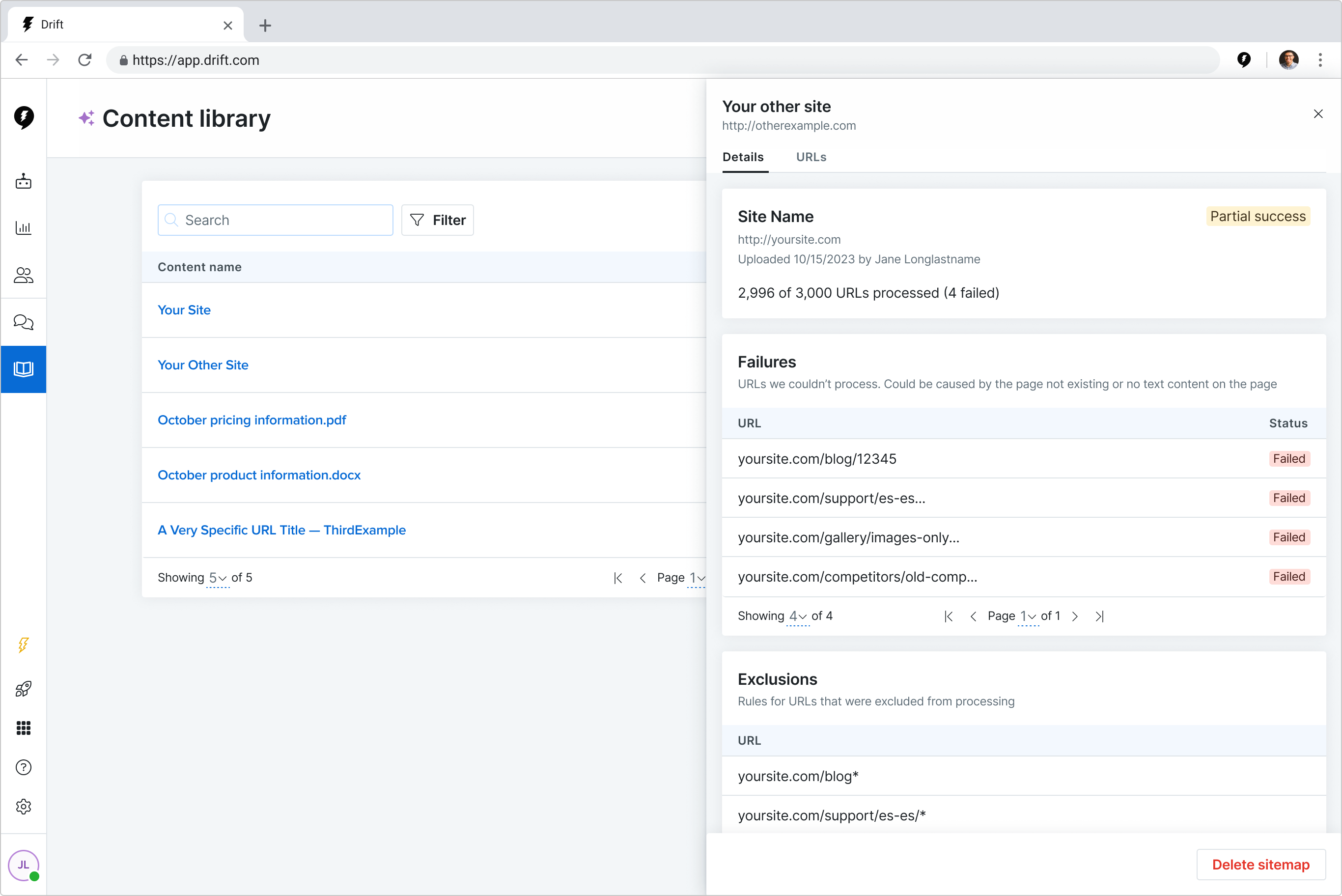
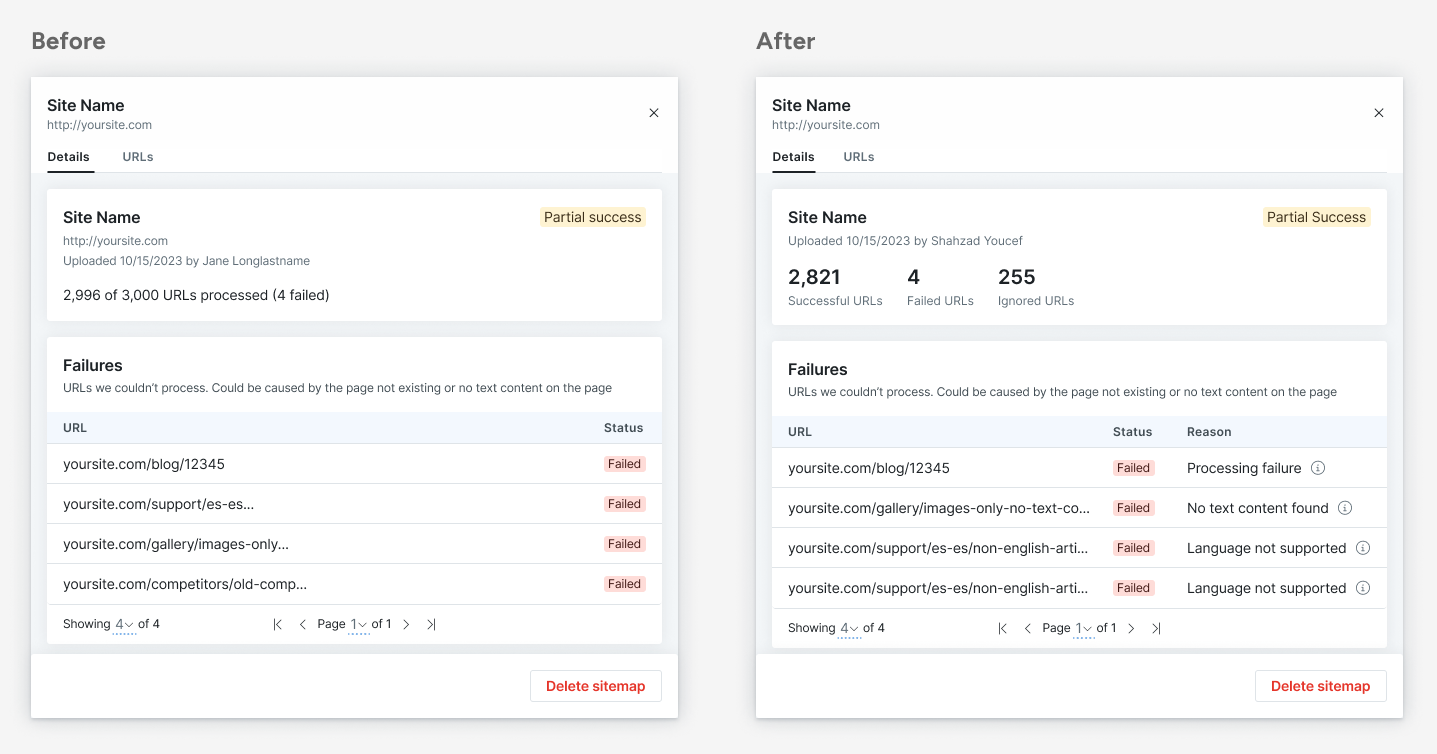
Customers wanted to know why individual URLs inside of a website would fail.
We added failure reasons to the details drawer. URLs that were 404s or 302 redirects also failed, but since the customer wouldn’t expect those pages to have content, we created a new “Ignored” category, which drastically reduced the number of failures customers saw.

Customers weren’t always clear about how many URLs were successful.
Since we highlighted failures, often the successful URLs (contained in the URLs tab) were overlooked. We updated the visual hierarchy of the status metrics.

Customers wanted to know when content failed, instead of having to check manually.
We added email and in-app notifications that let customers know which content had failed and jump directly to the details of that content.

Customers wanted to upload individual URLs in bulk.
Some customers didn’t want all of their website content to be uploaded, but had hundreds or thousands of URLs to upload. We converted the single URL upload form to accept multiple URLs at a time, and introduced a CSV upload for larger quantities.

Results & impact

Our team took a manual process that involved multiple internal departments and built a feature that enabled customers to provide content to train our AI without a Drift human. We lowered the average time to value from 6 days to 3.5 hours.

We were able to balance engineering effort on building features and improving the processing time of uploaded URLs, reducing the time to process 10,000 URLs from 180 to 35 minutes.

From launching our original hackathon project to our GA launch, we were able to increase the URL success rate from 91% to 99.5%.

Next steps

In ongoing continuous discovery calls, and in calls with beta customers for features using the content library, we’d identified some key problem areas:

We learned that marketers
Didn't always know what was in their websites

The quality of the content in a customer's library directly affected the quality of AI responses. If marketers had data on what types of topics were in the content of their library, would it help improve the overall quality of the content in their library?

Wanted to remove inaccurate or outdated content

When our tools did provide outdated or inaccurate responses, it was hard for customers to track down exactly where that answer was coming from. If marketers could search in the text of their content for keywords, topics, or themes, would it help them find content that should be removed from their library?

Weren't sure what to upload to their library

Some marketers needed guidance on what type of content to upload. Could we redesign the upload flow to do a better job of guiding marketers and help them optimize the content of their library?

Wanted to see proven quality with AI tools

If marketers could ask our bots questions as if they were different types of users and provide feedback on response quality, would that build trust with our AI models and encourage customers to "go live" sooner?

Our plan was to put together concept solutions for each problem area and put those concepts in front of customers to gather feedback and help provide context on which parts would provide the most value to pursue next.